How do you write a run of show for a hybrid event with a livestream audience watching remotely?
The room can tolerate a five-minute gap. The stream cannot. Here is what changes in a run of show when part of your audience is watching through a camera.
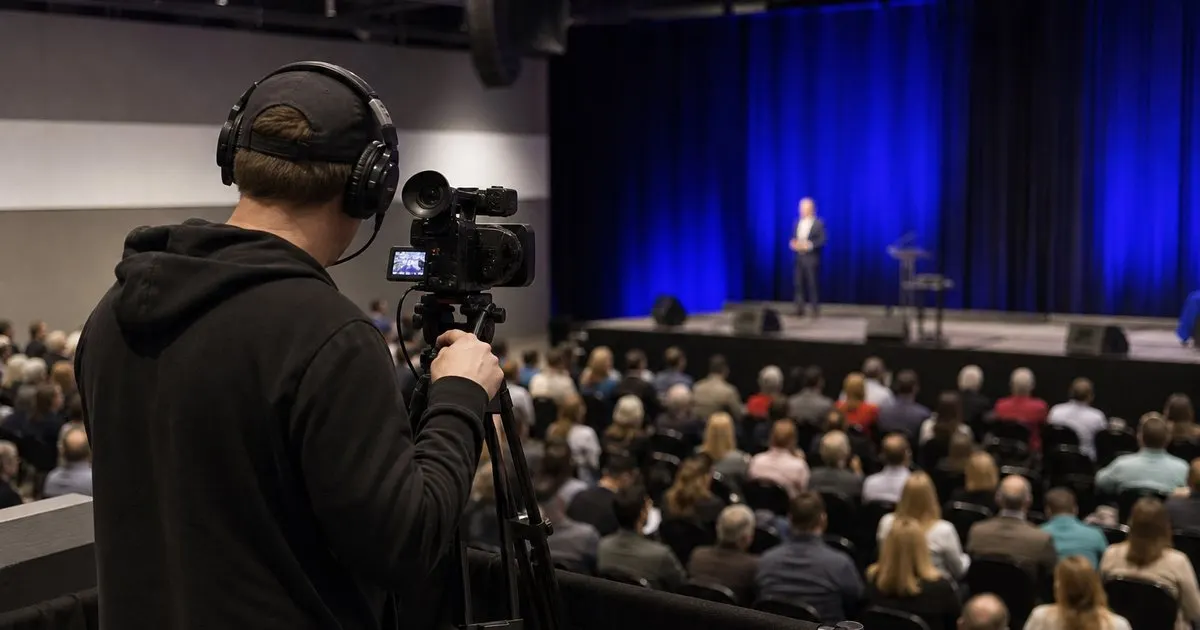
Two audiences with different tolerances for dead air
In a physical room, a delayed speaker is an inconvenience. Guests chat, refill coffee, check their phones. On a stream, the same delay is a black screen or a static holding slide, and remote viewers leave. That single difference reshapes the run of show. Every gap the room would absorb naturally has to be filled deliberately for the stream, with pre-recorded content, a host segment, a sponsor loop, or a planned break with a countdown. Related: Why should every moment in an event run of show have a clearly assigned owner responsible for it?
The practical consequence is that a hybrid run of show needs a stream column alongside the room column. For every line in the program, the document should say what the remote audience is seeing. Where the room line says 'Transition, panel reset, 5 min', the stream line should say something concrete, such as 'Host desk segment, remote Q&A recap'. If the stream column is blank for more than a minute or two anywhere, that is a gap to fix before the event, not on the day. Related: How do event planners build a minute-by-minute run of show that actually keeps the day on schedule?
Keep reading: How do event planners build a minute-by-minute run of show that actually keeps the day on schedule?, How can a planner share the event day timeline with every vendor so nobody works from an old version?, What is the best way to adjust an event timeline on the fly when the day is running late?. See how GigTimelinr helps you event day-of run-of-show timeline builder.
Cues, timing, and the delay between the room and the screen
Streams run behind the room, often by a noticeable amount depending on the platform and encoding path. That delay affects anything interactive: a live poll announced from the stage reaches remote viewers late, and a question submitted from the stream arrives after the room has moved on. The run of show should account for this by scheduling remote interaction moments with a lead time, and by noting the expected delay at the top of the document so hosts and moderators do not improvise around it.
Cue language also has to get more precise. In a room-only event, 'speaker walks on' is a sufficient cue. In a hybrid event, the stream director needs to know which camera, whether the lower-third name graphic fires on entrance or on first line, when to switch to the slide feed, and when to cut back. Write those as sub-lines under the program moment, owned by the stream director, so the stage manager and the stream team are reading the same sequence.
Rehearsal, tech check, and the remote presenter problem
Hybrid events routinely include presenters who are also remote, joining from a home office with an unknown connection. Each of those presenters is a risk that the run of show should treat explicitly: a scheduled tech check the day before, a connection check thirty minutes before their slot, and a named backup plan if they drop (a pre-recorded version of the talk, or a moderator who can fill with Q&A). Put all three in the timeline as lines with owners, not as notes in an email thread. Related: How can a planner share the event day timeline with every vendor so nobody works from an old version?
Rehearsal for a hybrid event should include the stream, not just the room. A run-through where the stage is rehearsed but the encoder is never turned on will miss the audio routing problem, the graphic that renders wrong, and the remote presenter whose microphone is muted. Block a full technical rehearsal in the run of show, ideally the day before, and treat the stream output as something someone actually watches during it from a separate device. Related: What details and cues should a run of show include beyond just the times for each event moment?
Ending the stream cleanly and what to keep afterward
Endings are where hybrid events most often look amateurish. The room applauds, people stand, and the stream lingers on an empty stage or cuts abruptly mid-sentence. Write the ending as a sequence: closing remarks, host sign-off to camera, end slate for a fixed duration, then stream ends. Give the stream director a clear 'stream out' cue and time, and make sure the room's final moment happens before it rather than after.
Finally, build the after-event steps into the same document. Who saves the recording, where it lives, who trims it, and when the on-demand version goes out are production tasks that belong on the run of show with dates attached. A hybrid event's remote audience often includes the people who could not attend at all, and for them the recording is the event. Treating it as an afterthought undoes much of the care that went into the live stream.
- Add a stream column to the run of show and fill every gap the room would tolerate but the stream cannot.
- Note the expected stream delay at the top and schedule interactive moments with lead time.
- Write camera, graphic, and feed cues as owned sub-lines so the stage manager and stream director share one sequence.
- Schedule tech checks, backups for remote presenters, a full technical rehearsal, and a clean stream-out.

Julien Jimenez
Julien Jimenez is an independent software builder based in Paris. He designs, ships, and operates focused SaaS products for small businesses and independent professionals. Read the full author page.
A run of show that holds
Event day-of run-of-show timeline builder. GigTimelinr is built to help you put this into practice.
Build your run of showMore from the GigTimelinr blog
Get the GigTimelinr playbook
Practical guides on event production, straight to your inbox as we publish them. No spam, unsubscribe any time.